
After testing some of the best AI marketing tools to grow my business, the best AI marketing tools for 2026, by category, are SEO, content creation, marketing automation, website builder, data enrichment, and workflow automation.
My top platforms include Semrush One for SEO and GEO tracking, Copy.ai and Jasper for content creation and copywriting, Clay for data enrichment, Zapier for connecting multiple apps, and Gumloop for AI marketing agencies.
SEO & AI Visibility tools
Semrush One: Combines traditional SEO with visibility monitoring across AI models and traditional SERPs.
Otterly AI: A platform designed to track how often LLM models like ChatGPT, Google AI Overview, and others mention your brand.
Indexly: Great for content optimization and generating briefs aligned with search data.
Content Creation & Copywriting
Jasper: First in the market for content scaling, brand voice memories, and marketing workflows.
Claude: Best for long-form content, brainstorming ideas, and in-depth market research.
Blaze AI: Best for writing and scheduling multi-channel content.
Data & Workflows
Clay: The AI platform for B2B lead generation and personalized outreach.
Zapier: First in the market for connecting your marketing stacks and for cross-app workflows.
Video and audio tools
ElevenLabs: Best for audio creation. AI voice that converts text to an audio track for best quality.
Descript: transcript-based video editor tool.
As an SEO writer and AI expert, I have tested and added a few AI marketing tools to my workflow over the past few years.
I choose each tool because it solves real marketing challenges, integrates seamlessly into workflows, and delivers results.
I’ve personally checked, tested, and used every tool below for my own business.
I’ve explained what worked, what didn’t, the current pricing, and how they can save your time and automate your business.
I organized the list by category—SEO, content creation, ads, email newsletter, creative, analytics, and social media management.
As a marketer, you don’t need 20 random AI marketing tools—two or three that can actually solve the specific problem.
Disclaimer: Some links in the content contain affiliate links. I may earn a small commission at no extra cost to you if you sign up.
I only include tools I have used or thoroughly do in-depth research before recommending to my users.
How I Evaluated These Tools
Before I add any tool to this list, I use these five checks to analyze them and see if they fit to be added to the best AI marketing tools.
1. The cost of the tool.
I like to check the price before the features. A tool needs to match what a marketer can justify.
A tool can be a good fit and still get bad ratings and recommendations if the pricing isn’t affordable.
2. The promises vs. what you see inside the dashboard.
Landing pages are written to sell the product. I only judge tools by what happens after onboarding—not by demo video or the success stories on the homepage.
3. Talking to the team
For tools I use often, I reached out mostly to support teams with specific questions like login issues, roadmap plans, and how a feature actually works. The response matters and tells you a lot about the company.
4. Reddit community sentiment.
Before finalizing this list, I checked what users are saying about some of these tools in relevant subreddits and marketing communities.
5. Not only depends on a free trial but also on Use
I’ve used most of these tools for real work, not just copied screenshots for this post.
Like Grammarly since 2019, SEMrush for 8 years, Kit for 3 years, etc., and I picked up some recently for a specific project.
One thing to note is that this list is subjective. It reflects the tools that fit my workflow—creating more content, analyzing competitors, and getting insights and data for my brand.
The Best AI Marketing Tools In 2026 at a Glance
1. AI SEO & Search Visibility Tools
| Tool | Summary | Pricing |
| Semrush One | Traditional SEO + AI search visibility tracking (ChatGPT AI Overviews and Perplexity) | $199/mo |
| Surfer SEO | Content optimization: analyze top-ranking pages,, monitor AI search visibility | $99/month |
| Otterly AI | Best for tracking brand mentions & citations across major AI search platforms | $29/month |
2. AI Marketing Agents & Automation Tools
| Tool | Summary | Pricing |
| Gumloop | Best AI agent builder for marketing workflows and automation. Integrates with 100+ apps | $37 plus free account |
| Zapier AI | The first tool to connect to an existing marketing stack and add AI automations | $19.99/month |
3. Content Creation & Copywriting Tools
| Tool | Summary | Pricing |
| Jasper AI | Generating Content at scale, brand-voice training | $69/mo |
| Koala AI | Best for creating long-form blog content with customizable outlines and tone. | $9/mo |
| Grammarly | Grammar checker and AI-assisted rewriting to improve daily workflow | Free plan ($12/month) |
4. AI Email Marketing & Newsletter Tools
| Tool | Summary | Pricing |
| beehiiv | Email marketing + newsletter growth with built-in AI writing tools | Free (paid from $49/month) |
| Kit | Newsletter, email automation with an MCP integration for AI-assisted workflows | Free (paid from $39/mo) |
| Brevo | Email marketing, CRM, automation & AI workflows | Start from $9/month with a free account |
5. AI Image Generation Tools
| Tool | Summary | Pricing |
| Midjourney | For quality AI image generation and Art | $10/mo |
| Canva AI | For design images and videos, resizing, and tools | Free (Pro from $12.99/mo) |
| Claude | For content creation, repurposing content, and brainstorming ideas. | Free (Plus from $17/mo) |
6. AI Analytics & Reporting Tools
| Tool | Summary | Pricing |
| Improved | Combine over 1,000 marketing data sources into one platform. | Custom pricing |
| Supermetrics | For cross-channel automation & reporting | $19/mo |
7. AI Social Media Management Tools
| Tool | Summary | Pricing |
| Buffer | AI-assisted post scheduling and caption generation for social media platforms. | Free (paid from $6/month) |
| Hootsuite AI | Built into an existing social media scheduling platform | $99/mo |
8. Ad Creative & Campaign Creation
| Tool | Summary | Pricing |
| AdCreative.ai | Best for generating ads in any format and copy variations for conversion optimization. | $29/month |
| Holo AI | Generate ads, social posts, and email campaigns from product pages in 95 languages | $19/mo |
One thing I know before going into the details is that I have real firsthand experience with some of the AI tools such as Claude, Grammarly, Kit, SEMrush, and Canva AI and lighter experience on others like Jasper, Buffer, Zapier, and more.
Here are the 20 best AI marketing tools selected based on practical expertise and industry relevance.
1. AI SEO & Search Visibility Tools
Search is changing; it’s no longer about being in position one on Google alone—you need to be referenced by ChatGPT or Google AI Overviews when users ask a question in your niche.
Here are my favorite three AI marketing tools I use to track and improve Google ranking and AI visibility.
Semrush One
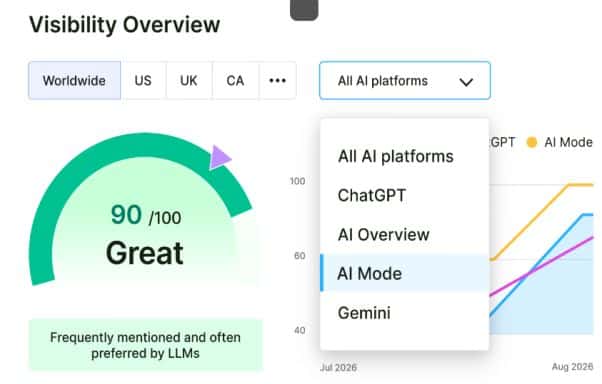
It combines traditional SEO with an AI visibility toolkit to track your brand mentions and references across AI models like ChatGPT, Gemini, and AI Overviews.
Semrush One prices start at $199/month, which includes SEO, GEO, and the AI Visibility Toolkit.
The SEO tool offers a 14-day free trial to test its features before committing to the paid plan.
I’ve used Semrush for domain overview, performing keyword research and tracking, site audits, and competitor analysis for almost 7 years now.
When Semrush One was rolled out a few years ago, it revealed how AI search visibility tracking actually worked and let you see which AI cites your brand.
Here’s what you can do with Semrush One:
- You can track brand mentions, citations, and cited pages across AI platforms.
- Monitor keyword rankings and AI visibility from a single dashboard.
- Run AI site audits to identify technical SEO issues and how to fix them, and find content that isn’t well structured for AI citation.
- Compare your AI share of voice with your competitors’.
- Seamlessly connect your account to any LLM models through Semrush’s MCP for accessing direct querying and data.
The price of $199/month is worth it if you want to use Semrush for SEO and want the AI visibility feature instead of having Semrush Classic and purchasing AI tracking as a standalone.
If you want to learn more about Semrush One, you can check my Semrush One review and see how it can help you grow your business.
But you can start with the Semrush free trial to test its features before committing to a paid plan.
Read How to get cited by ChatGPT and other LLMs to attract more customers and get behind your competitors.
Surfer SEO
A content optimization tool that scores your content against what’s actually ranking on the first page of Google for a target keyword in real time.
Surfer SEO prices start at $89/month but offer a free trial to test-run the tool.
I chose Surfer SEO for content briefs and on-page optimization after noticing that many of my posts were ranking on page 2 or below despite content quality, good structure, and optimization.
What the tool actually does:
Optimize content based on top-ranking pages for a specific keyword.
Reveals the content word count, headings, and related terms.
It scores drafts in real time as you write and edit and shows you the missing terms and how to properly structure the content for higher ranking.
Audits existing content and tells you what to add and remove to close the gap with competitors
Despite the advantages of using Surfer to optimize content, there are also limitations.
Surfer SEO optimizes for what’s currently ranking; it can force you to write based on its recommendation or make some changes, which can compromise the quality of the content.
What I like about Surfer SEO is that you can track 25 AI prompts, offer team collaboration, and extend its features to a plagiarism checker and rank drop detection.
Otterly
Otterly AI: Another AI visibility tool that offers an affordable way to track brand mentions across ChatGPT, AI Overviews, Perplexity, and Copilot without needing to pay $199/month.
The price starts from $29/month to track 15 prompts across major AI platforms.
If Semrush One is very expensive, you can try Otterly as an alternative.
Otterly shows you if AI search engines are mentioning your brand before investing more.
What Otterly can do:
Simplify tracking brand mentions, citations, and sentiment across major AI engines.
Otterly offers advanced features like Brand Visibility Index and Share of Voice metrics to see what change over time
A complete prompt research tool to identify the real conversational queries your customers is asking AI tools.
The GEO audit tool identifies on-page/crawlability issues affecting your AI citation and offers suggestions to fix them.
When tracking 15 prompts related to your niche, I like how easy it is to identify which competitor domains are getting cited that you don’t even consider rivals in traditional search.
Otterly is the best place to start, but know that tracking 15 prompts per month can limit you if you’re tracking multiple topics.
Otterly can track MS Copilot, and the higher plan comes with unlimited team members.
It offers daily tracking frequency, and like Semrush, it integrates with AI models through MCP access.
You can read more on the list of the best SEO tools for small businesses to learn more about AI SEO software in the market today.
2. AI Email & Newsletter Tools
One of the best ways to quickly grow your business online is email marketing, and most marketers make it a priority.
Most AI marketing tools promise to automate email marketing through writing email sequences.
But in reality, there are some limitations. They’re good at speeding up production, but a newsletter that reads like it was generated by AI paves the way to zero open rates.
But there are a few platforms that use AI to support the process without letting it write the whole newsletter unsupervised.
beehiiv
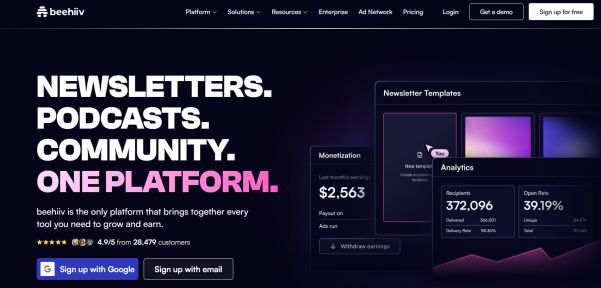
Many email marketing tools integrate with AI, but Beehiiv stands out.
Beehiiv is a newsletter platform designed for creators and marketers who want to grow and monetize their audience.
With the no-code website builder and AI tools, you can create well-designed and mobile-friendly landing pages to grow your subscriber lists, and the AI tool creates content for your audience.
Beehiiv’s price starts at $49 per month. Each plan comes with a 30-day free trial. The good news is that you can start with a free plan and grow your subscribers to 2,500 at no cost.
I haven’t used Beehiiv, and this review is based on my research and testimonials from real users.
What Beehiiv actually offers you:
Website builder to create an SEO-optimized site
Growth tools: It includes referral programs to quickly grow your lists beyond your own audience.
It comes with built-in analytics to track open rates, CTR, conversion rates, subscriber sources, etc., without the need for third-party software.
AI-powered assistance for brainstorming ideas and topics and writing great headlines and first-draft newsletter content.
Audience segmentation and tagging for more targeted sends to improve open and click rates.
The free plan is basic, but most of what makes Beehiiv beat others is the growth and monetization tooling, which is available in the paid tier.
If you’re just starting and only need a basic newsletter, the free plan is a better option.
If you want to run a complete email marketing business on Beehive, audience growth is the actual goal and requires $49/month to start.
Kit
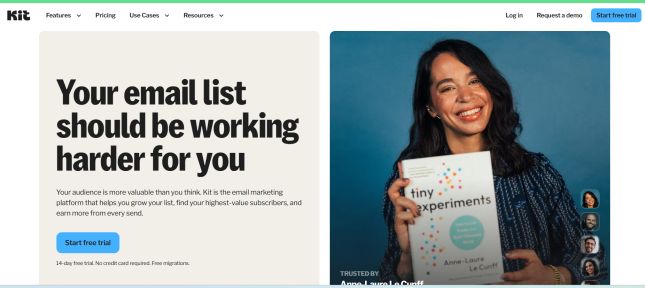
Kit is one of my favorite AI email marketing software, best for creator-focused email automation with tagging, segmentation, and an MCP connector to work with any AI models to get access to your email data without digging through dashboards manually.
Kit offers up to 10,000 subscribers for free but with Kit branding and one automation.
The creator plan starts at $39/month.
I used Kit, formerly ConvertK, for almost 3 years before moving to a new email marketing platform, and I can say that it’s one of the best email marketing software on the market today.
I still recommend it for creators whose main goal is selling digital products without a third-party tool.
Its unlimited landing pages and the ability to sell products/subscriptions, even on the free plan, make the platform stand out.
The new feature that kills others is the Kit MCP connector, allowing you to connect with any AI system such as ChatGPT.
What you can do with the Kit AI tool
Easily connect your Kit account to AI tools like Capilot, ChatGPT, Claude, etc.
Analyze newsletter performance, subscriber insights, and review campaign results; create segments; and draft email sequences.
Make the AI assistant work directly inside your email data.
Kit email marketing offers all features you need to grow your business, and with the inclusion of an AI assistant, you can automate almost all tasks that would normally take 5 hours of manual filtering in under 5 minutes.
The MCP connector is very useful but still new; I will treat it as a starting point, not a final answer.
Always verify any tasks before the final decision.
Brevo
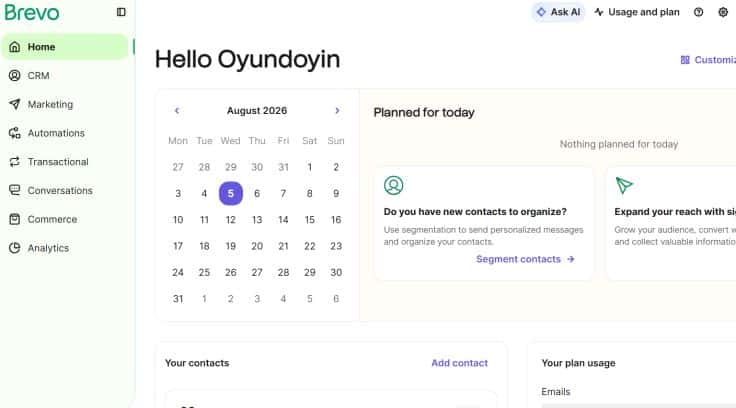
Brevo is one of my favorite email marketing tools that combines AI and automation tools to improve workflow. It comes with many advanced features, and I like its user interface.
I have sent more than 200 emails since I started using the Brevo email marketing tool. When compared with other email marketing software like Kit, Hive, GetResponse, etc., Brevo stands out in terms of CRM, marketing tools, and ease of use.
The price starts at $9 per month, but they offer a free account to start your email marketing business.
You can ask Brevo AI any question and get a response to guide you on how to use the platform.
Its CRM features help you to organize your contacts, create lists, segment, and much more.
Easy to create campaigns, design landing pages, forms, and email templates, and get stats about your campaign.
Other features are automation, transaction emails, conversations, commerce, and analytics.
Since I started using Brevo email marketing, my open rate has increased by 20%. If you’re looking for email marketing with a built-in AI tool that comes at an affordable price, then try Brevo.
3. AI Marketing Agents & Automation Builders
Most marketers underuse this category, as many people talk about AI for writing, but the best ones are those that save me time and do the repetitive workflows.
They monitor competitors, identify decaying content, and pull data from different sources without me touching it.
Gumloop
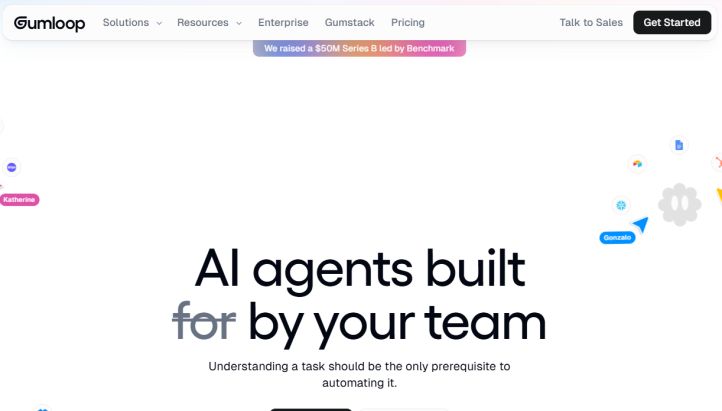
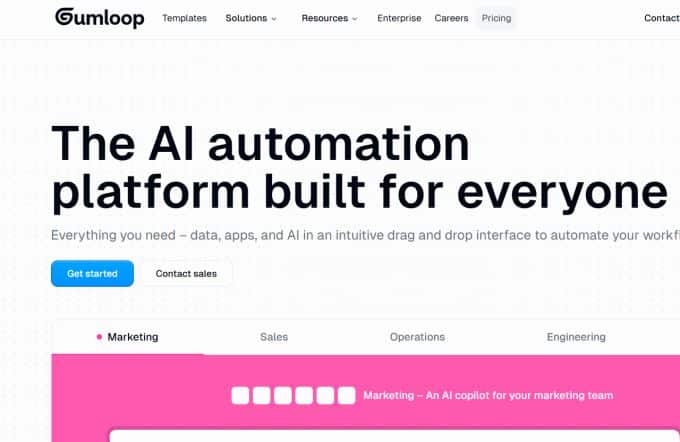
Gumloop is a no-code AI agent builder that integrates with more than 100 apps. This tool is designed for multi-step workflows; all marketers need to automate their tasks.
The price starts from $37/month but has a free plan with 5,000 credits/month.
What makes Gumloop stand out to me is that I can develop or build my own AI agent to work for me based on ideas, tone, and voice.
I first came across Gumloop when I was looking for a tool to monitor my competitors’ content, identify which keywords are getting me more traffic, report, and much more.
What I love about this AI agent is not the integration but its flexible workflows that can’t be compared even with simple automation tools.
I can easily build a simple SEO tool to find low-competition keywords, track keyword rankings, etc., without coding experience.
If you’re looking for a simple process to build an agent to automate your tasks and save a lot of time, then GumLoop is an AI agent tool to try.
Here are the four main types of AI agents you can run on the platform.
- Data Analysis Agent
- Support Agent
- CRM Agent
- Meeting Prep Agent
- Call Analysis Agent
Here is what you can do with Gumloop
- Run competitors tracking
- Build an automated keyword research and content optimization tool
- Competitor monitoring workflows that identify changes automatically.
- Content decay detection. Identify posts that need an update to retain or gain higher ranking.
- Weekly or monthly report generation from connected data sources.
- Launch an AI agent that can reason through multi-step tasks using natural language.
- With Gumloop, you can build a simple AI agent to run your entire business.
For example, I can develop a content decay agent that scans my site monthly for posts down 30% in clicks to know which content needs updating and improvement.
Using this tool can save you hundreds of hours a month and drastically reduce manual tasks.
Zapier AI (Agents)

Zapier AI Agents is one of the best no-code AI assistants built on Zapier’s automation platform. Many standard chatbots only answer questions or provide advice, but the
Zapier AI Agents execute multi-step workflows using plain English instructions and take actions across over 9,000 supported apps.
What the Zapier AI agent can do
Lead Enrichment: Attracting inbound leads, researching prospect data online, and taking qualified audiences to sales reps.
Customer Support: 24/7 customer support and the ability to draft replies using company knowledge bases or send queries to the right team.
Content Repurposing: Many marketers love content repurposing to get more visitors and capture their data. The AI agent can take a single blog post and turn it into different versions tailored for different platforms automatically.
Connecting Different Tools: Created to connect different marketing stacks and simplify workflows. Access to your team’s software apps to perform autonomous tasks like sending messages or drafting content.
4. AI Content & Copywriting Tools
This is the most common category in AI marketing tools. The three AI marketing software tools cover different jobs like creating consistent content, long-form generation, and a draft editing layer that makes both AI and human output more readable.
Jasper
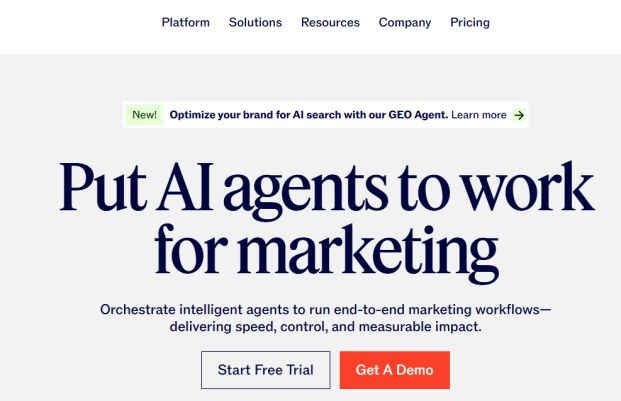
Jasper is among the first content generation tools created for individuals and teams who need to maintain a consistent brand voice in content creation.
One of its main advantages is that you can train Jasper AI on your style guides, product docs, and brand materials so that its output doesn’t sound generic but speaks your brand voice.
The price starts at $69/month. The Jasper price starts at $69 per month to get access to the powerful AI to stay on-brand, even at scale.
I used Jasper for 3 months to create content for my sites.
Here are the key features worth knowing:
Training it to match your voice and tone. Upload guides and existing content to train it so that its outputs match your brand tone, not a generic AI voice.
Creating Campaign: turn a single brief into a full set of assets like blog posts, email, social captions instead of prompting each one separately
Retains Memory across projects: You train the AI agent once and continue to work based on it without needing to re-explain the guidelines every session.
Understand that the output depends on what you feed the AI agent; inconsistent source material means inconsistent output.
The brand voice training determines your success in using any AI agent.
Koala AI
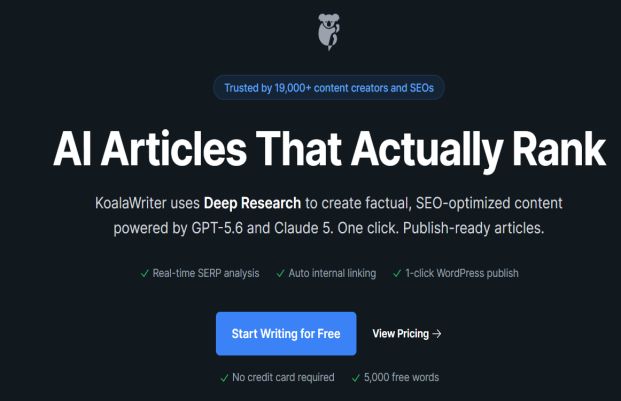
Another AI tool for content creation is Koala AI. It’s perfect for long-form blog generation and easy to train to take real control over your tone, length, and outline.
The price starts at $9/month for 15,000 words, but they offer one free article to test it before committing to a paid plan.
You can tailor the tool before using it:
- Content Outline
- Length of content
- Tone of voice
- Write in different languages: It supports up to 97 languages
- Create an FAQ section and real-time data
- Target keywords and semantic terms
I love Koala AI Writer because it uses deep research to build factually optimized content using GPT-5.6 and Claude 5.
As an SEO writer, the AI tool can perform real-time SERP analysis to ensure its output content ranks higher in search engines.
Easily outline your content using its editor and create bulk content fast.
Note: Like most AI writers, Koala output reads AI-generated, so it requires a human touch. It’s best for a first-draft engine, not a 100% publishing tool.
I advise editing every AI-written piece of content, especially to demonstrate expertise rather than just generic content.
Grammarly
Grammarly is another important AI tool anyone needs to add to their workflows.
I have used Grammarly for more than 4 years to edit my content and fix grammatical errors, improve clarity, and manage formatting.
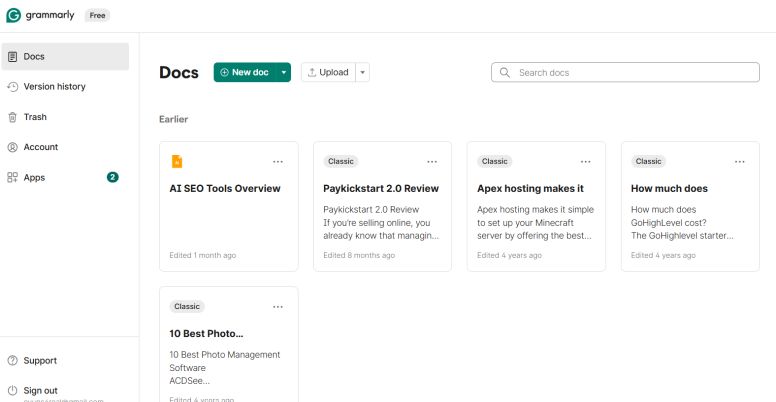
With the integration of AI-assisted rewriting built into the platform, it helps you publish content that is free of errors and readable.
Grammarly Premium starts at $12/month, with a 7-day free trial. It also has a free account with limited features.
I’ve been using Grammarly since 2019, even before the current AI wave, and I stick to it.
What makes Grammarly outstanding is that It works with the browser, docs, and the WordPress editor, making content editing easy.
What’s new in Grammarly’s grammar checker:
The integration of AI rewriting and clarity suggestions makes the tool outperform its competitors.
The inclusion of plagiarism and AI content detection into the browser extension for ease of use is a game-changer.
My personal experience: For almost 8 years now, I still check every piece of content through it before I hit publish.
It’s an AI tool I use almost every day, and it helped me grow my business and increase my workflows. The limitation: Understand that the AI-detection feature is not a verdict and not 100% proof of originality.
5. AI Image & Creative Generation Tools
There is a significant change in this category, mostly with the introduction of AI systems.
What used to require a designer to create or design can now be handled with just a prompt.
Below are a few AI tools to create high-end original images, offer free template designs, and use an AI assistant as a creative generation tool.
Midjourney
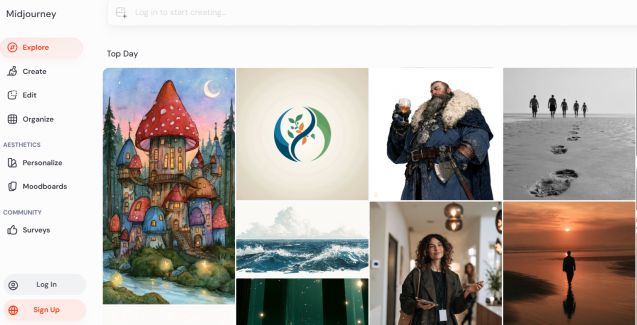
Midjourney is among the most popular AI tools for high-quality, original AI-generated imagery.
You can create campaign visuals, concept art, and anything where a stock photo would look generic.
The Midjourney price starts at $10/month.
What Midjourney is good at:
- Generate high-quality, consistent imagery from prompts
- Get control over your design, like style, lighting, composition, etc.; you just need to learn its prompt syntax
- Refine images: Upscale, vary, or blend results without starting from scratch.
- One main con of Midjourney is that it requires a real learning curve; getting great results can take prompt-writing skill.
Canva AI
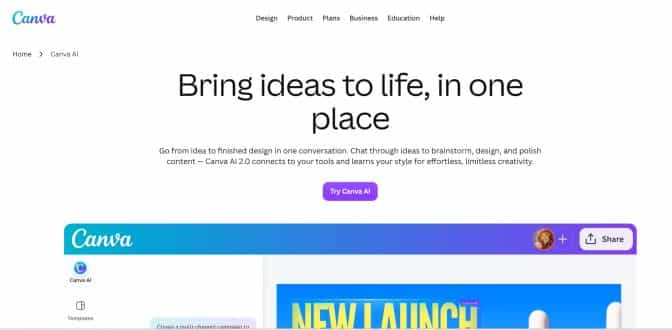
Canva has been in existence for over a decade. I had been using Canva before the platform introduced an AI assistant for design.
It’s fast, providing template-driven design with AI features for backgrounds, resizing, and copy generation layered in.
The plan comes with a free trial, and Pro starts at $12.99/month.
Depending on what you want to design or create, the free version is best to test its features.
Canva AI is what I reach for when I need a social graphic or blog header fast and very clean, and on-brand.
Here are some key AI features worth knowing:
- Built-in Magic Design to generate full layout design options from a prompt or an uploaded image.
- Background Remover: I used Canva’s background removal mostly when designing pins for my Pinterest account.
- With just a click, everything is done: it works for any type of design or size.
- Canva Magic Write uses AI copywriting for captions and headlines to make designs more attractive and clickable.
- Auto-resize your images based on dimensions across different platforms.
I have used both Canva’s free and paid plans for all my designs, which alone has reduced time spent on the platform.
Because of its template-driven approach, Canva output designs can look generic without proper customization—because it generates them from the same template library that many others are also using for design.
Claude
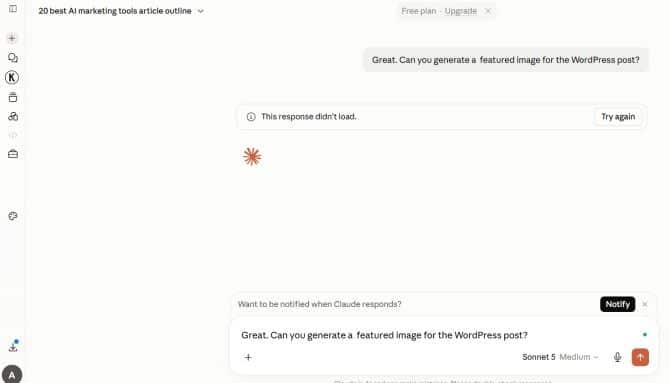
Among top AI models today, my preferred free tool for creating content with a natural, human tone, researching topics quickly, and generating high-quality marketing images through simple prompts is
Claude is free to use, but you can upgrade to Plus at $17/month or $200/year.
I started using Claude to plan content for all my websites and for SEO tasks two years ago. It has become my go-to tool because of how it creates and structures context across any topic.
What I’ve trained Claude to do:
- Analyzing a domain against competitors for content gaps and seeing where they’re getting traffic.
- Suggesting internal links based on analyzing my own site’s structure
- Analyzing SERPs for a target keyword for the top 5 pages, suggesting and recommending how to improve my content for higher rankings.
- For repurposing blog content into social posts to save a lot of time.
- Generating and editing blog post images and social promotion to engage my audience.
- Using Claude to get the best results depends on how much context and brand instruction is given to it.
It is crucial to understand how to feed Claude with prompts that match the consistency of a project with instructions and reference material.
6. AI Ad Creative & Campaign Tools
Creating high-converting ads for your brand is one of the many challenges marketers and digital entrepreneurs are facing to get ROI.
You may create the best products and be an expert in ads, but if your ad asset fails to resonate with your audience, then you’re at risk of losing your money.
These two AI ad creative tools are built to create conversion-optimized ad variations or turn a product page into a cross-channel campaign.
AdCreative.ai
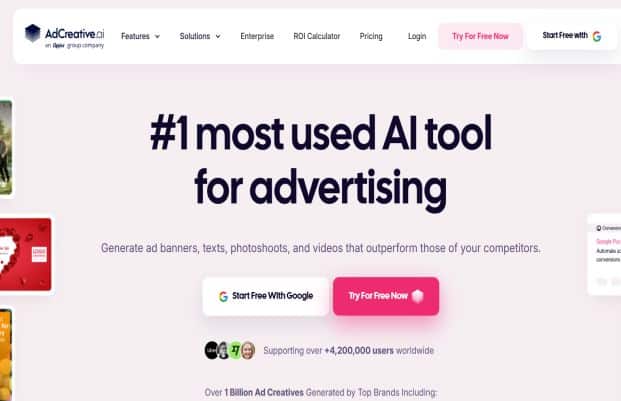
One of the best AI ad tools is adcreative.ai, and the platform claims to be the best AI tool for advertising.
If you’re a marketer who depends mostly on paid ads to grow your business, then I recommend AdCreative.ai.
I have not used the tool, but this review is based on my research and findings.
You can create different types of ads, such as text, photos, and video, that outperform other ads.
What I like most about this AI ad tool is how easy it is to create your ad.
You don’t need to spend hours writing ad scripts; you can just scan your website to generate AI-powered ads in a second.
Here is what you can do with Creativead.ai.
Create product videos: Generate text ads that convert using the proven frameworks with trained AI.
Ad Creatives: The AI tool creates conversion-focused AI ad creatives in a minute, working with any advertising platforms.
You don’t need to spend hours designing your ad; the tool does the job for you.
Product Shoots: If you’re into e-commerce, you will love this feature. The tool transforms photos into professional fashion and e-commerce image ads.
Smart AI Ad Suite: The tool removes backgrounds, improves visuals, and upscales images with just a click.
Analyze competitors’ ads: This feature helps you stay ahead by analyzing your competitors’ ad campaigns and getting insights on what is giving your competitors results.
I will be planning to use the Ad Creative AI to generate my next ad.
There are many testimonials and user case studies about the platform.
If you’re looking for a complete AI marketing tool to create conversion-focused ads, then go for Adcreative.ai.
Whether you’re into e-commerce, SaaS software, or course creation, or just want to convert product shots to video ads, you get all that you need to create your next AI ad.
AdCreative.ai Price: starts at $39 per month, which includes almost all of its features.
Holo AI
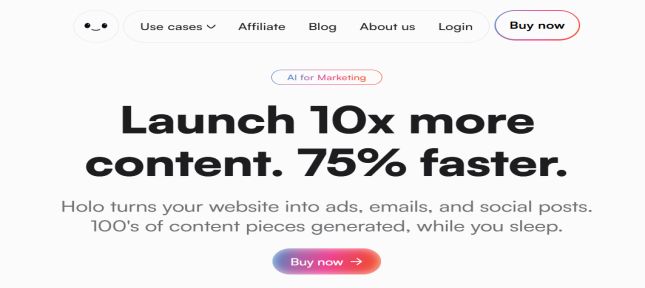
Another AI ad tool is Holo, which can take a product page and turn it into social posts, ad creatives, and email campaigns in over 95 languages.
Prices start at $29/month.
If you are looking for an AI tool to create any type of ads, from e-commerce to digital or local creative ads, Holo AI fits all.
What you can do with Holo AI
The Holo AI Ad Generator can produce visuals, ads, and copy from a product page in minutes
Creating Socials ad based on the ad platform, such as Instagram, LinkedIn, etc.
Generate full email sequences and newsletters with a click.
Create your brand DNA. Access to a setup where you add your logo, colors, tone, and product details so its output reflects your brand.
The output quality depends on how thorough the details you fill in the brand DNA—a real onboarding task and not a formality.
The Holo AI ad tool is a multilingual ad generator, but occasionally you may experience language mixing and small spelling errors in generated copy, so always cross-check to ensure everything is in order.
Holo AI marketing tool can be a game-changer to get higher ROI in your campaign
7. AI Analytics & Reporting Tools
AI analytics and reporting tools are very crucial to understand insights and data to grow your business. These two AI analytics tools arrange scattered marketing data into what you can act on.
Improvado
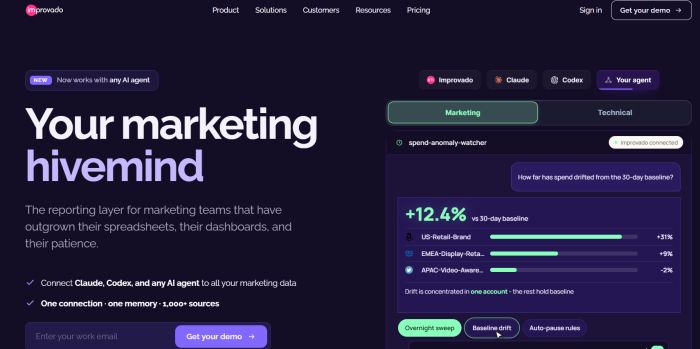
Improvado is among the best AI analytics tools you can use for your business. Like Google Analytics, which is free for everyone, this AI analytics and reporting comes with custom offers, but you can start with a free account.
Improvado comes with advanced features that unify over 1,000 marketing data sources into a single warehouse; its AI agent layer lets you request dashboards and reports in plain language.
It has custom pricing based on data sources and scale.
What can Improvado do?
It connects major marketing data sources like Meta, LinkedIn, Google Ads, HubSpot, and other analytics platforms into one unified dashboard.
Query data conventionally with an AI agent and generate reports without SQL knowledge.
Access to historical data even when connected platforms change their API.
The platform is for a big player in marketing and not for soloists or beginners.
So, it isn’t a lightweight tool you can just decide to join, but it makes sense once you need reports across multiple channels.
Supermetrics
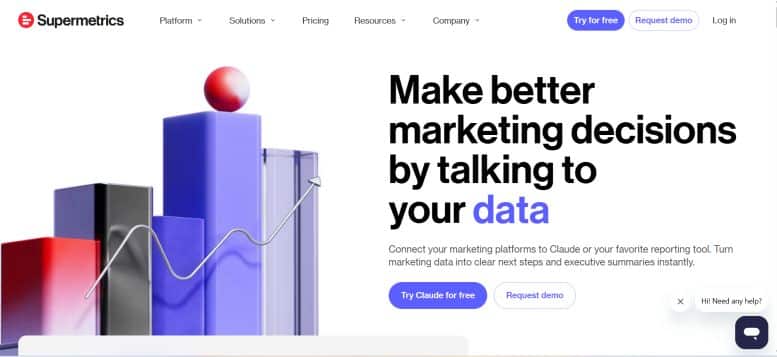
The second AI analytics and reporting tool on the list is Supermetrics.
The platform helps you to make better marketing decisions by talking to your insights, data, ads, and results.
You can connect your marketing tools to Claude or your reporting platforms and turn data into clear next steps and summaries.
The price starts from $45/month.
Just like other analytic tools, it allows you to connect marketing platforms directly to Google Sheets, Looker Studio, etc.
Refreshes data automatically so that reports update without manual tasks.
Supports cross-channel to know which platforms are actually driving results.
8. AI Social Media Management Tools
Using social media platforms is a must to grow your business and attract more customers, and many businesses can’t do without them.
But the feeds are saturated already with generic captions and stock photos.
The tools that help are those that generate high-quality visuals and content without copying what everyone else is using.
These three AI social media management tools are the best in the market and cover a range of budgets, from free-tier scheduling to enterprise platforms.
Buffer AI
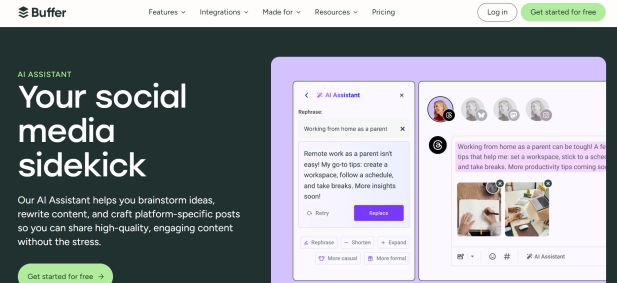
I used Buffer a few years back, and the platform remains one of the best social media scheduling software today.
Buffer AI can draft posts, schedule, and generate captions, making it one of the most established scheduling tools on the market.
Buffer AI comes with a free plan, and paid plans start at $6/month.
What it actually offers:
Buffer AI is great for generating caption drafts and post ideas on any topics.
Easy to schedule and queue posts across major social platforms.
It comes with basic analytics to see performance and engagement insights.
Built-in browser extension for generating draft posts on a webpage.
Buffer AI is a scheduling tool, not created for an AI-first platform.
Ocoya AI
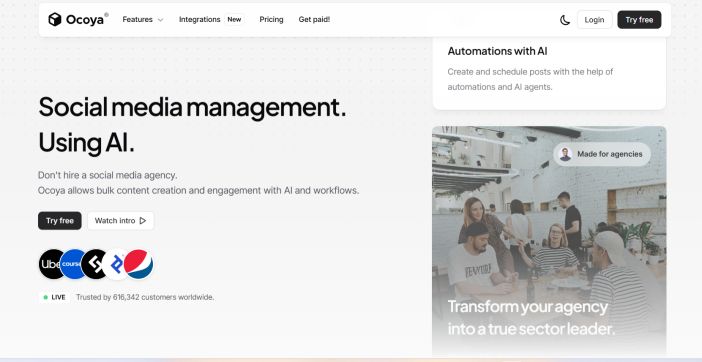
Ocoya is like Buffer but has more advanced features, combining content calendar automation with AI-generated design and copy in one dashboard.
It is best for teams that want to move from idea to scheduled post without juggling different tools.
The price starts at $15/month.
You can use Ocoya AI for creating captions tailored to different platforms.
Generate visuals using built-in design tools, so you don’t have to export from a third-party design app.
Effective for bulk scheduling with a content calendar.
The Ocoya AI-powered visuals are great for quick, templated posts but can’t be compared with a tool like Canva or Midjourney for creating visuals that stand out.
For me, I’d treat Ocoya as a tool for volume, not a go-to for deep visual design.
Hootsuite AI (OwlyWriter)
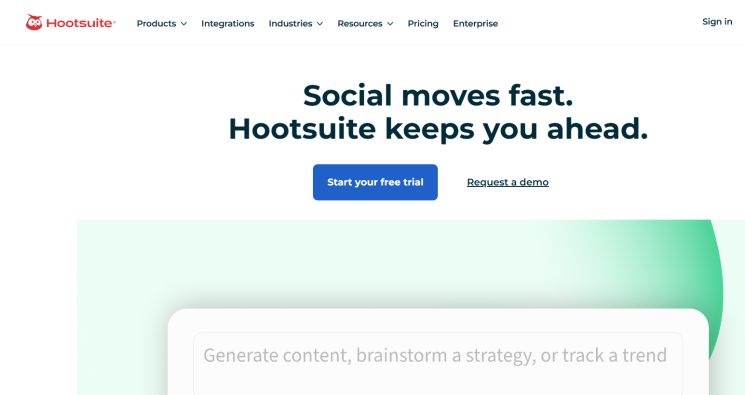
The last on the list is Hootsuite AI, now known as Ow.lyWriter. It has been in existence for more than a decade and is among the best social media management software.
The tool is best for generating AI captions, content ideas, and the the ability to schedule posts on different platforms.
Pricing: Starts at $99/month.
What Ow.lyWriter can do:
- Generates captions based on a topic or link.
- Best for repurposing top content into new captions.
- It analyzes your account management history and recommends the best time to post.
- Response to social media messages
- Boost engagement and reach more followers
At $99/month, this only makes sense if your business needs the team. If you’re a solo marketer, you’re likely paying for features you won’t need. Instead, consider an AI tool for a fraction of the cost that can handle all the tasks.
FAQ About Best AI Marketing Tools
Below are a few frequently asked questions about the best AI marketing tools for small businesses.
What is an AI marketing tool?
An AI marketing tool is software that uses machine learning, natural language processing, and predictive analytics to speed up or improve a marketing task that used to take hours of manual effort to complete.
It covers many areas such as writing blog posts, generating ad creative, analyzing campaign data, tracking brand visibility in AI search results, scheduling social posts, creating AI video, converting text into audio, and more.
What are the best free AI marketing tools?
There are many free AI marketing tools, but a few of them that are more genuinely useful are listed below:
Claude: For content creation, research, and brainstorming needs
Canva AI: Best for design, background removal, and basic AI features
Beehiiv: Best free newsletter and AI writing tools
Kit: Best email marketing tool for creators.
Gumloop: Free AI agents to automate your business.
Grammarly: Grammar and clarity checker
Buffer: Best free AI social media tool for basic scheduling and caption creation.
Related Posts
- best SEO automation tools
- How to Improve Brand Visibility in AI Search Engines
- Best Generative Engine Optimisation Tools
- What Is SEO in Content Writing?
