
Welcome to Paykickstart Pricing 2026.
If you’re a digital creator or running a SaaS business, you understand the struggle of choosing the best billing system.
You often get stuck between two options: affordable but with basic features that limit growth, or an enterprise platform with advanced tools but costs hundreds of dollars per month before you even make your first sale
PayKickstart 2.0 takes a new approach.
It doesn’t charge you for features and forces you to upgrade to unlock essential tools like affiliate management, checkout experience, and revenue retention etc.
PayKickstart uses a revenue-based pricing model. You only pay more when you generate more.
This pricing structure makes it perfect for new businesses while remaining powerful for high-volume sellers.
Whether you are just making from $0 to $3k or already scaling past $20k a month, your monthly cost is directly tied to your monthly revenue.
In this guide, we are going to break down how PayKickstart’s pricing tiers work, including the $79/month entry point, and how you can slash it to just $63.17 by choosing the yearly payment plan.
Let’s dive into the pricing model and see if this model makes sense for your business.
Save 69% off Paykickstart 2.0 Prelaunch 2026

You can lock in up to 69% off for up to 3 years and zero transaction fees.
All you need to do is:
Choose an annual revenue tier, and select how long you want to lock in your discounted rate.
And you will instantly get Paykickstart 2.0 lowest pricing at a fraction of the normal plans.
All packages come with immediate access to the full PayKickstart robust features.
What Is Paykickstart?
Paykickstart is a revenue growth engine that handles the billing system. Checkout experience and affiliate program.
The platform simplifies recurring billing, affiliate management, revenue retention and checkout pages for digital entrepreneurs and creators.
As a SaaS funder and startup, choosing the right billing and checkout platform can make or break your online business, and Paykickstart offer a complete solution.
PayKickstart has become a popular tool for SaaS founders, creators and digital product sellers who need a flexible, conversion‑focused solution.
And instead of paying a flat monthly fee, your subscription cost depends on the amount of revenue your business generates.
And for businesses ready to commit annually, PayKickstart offers 20% discount, bringing the starting cost down to $63.17 per month for the $0–$3k monthly revenue.
The Core Pricing Structure (Monthly)
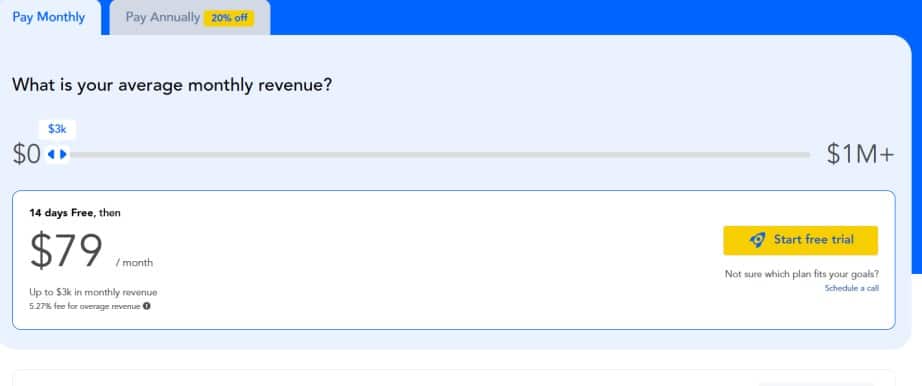
Unlike other billing platforms that force users to upgrade to get “Pro” features, PayKickstart’s pricing is based on your monthly revenue.
This means a new user paying $79 gets access to the same powerful tools as a high-volume seller who is generating millions of dollars in sales.
Here is how the monthly tiers break down:
The Starter Level ($0 – $3k Revenue)
Cost: $79/month
Revenue Limit: Up to $3,000/month
This is the entry point for most new users who are just using Paykickstart for their business.
If you’re making a few thousand dollars in sales, the costs keep managing your business while offering you enterprise-level features.
Up to $4k Revenue
Cost: $109/month
Revenue: Up to $4,000/month
The Idea: Once you surpass the $3,000 mark, your price bumps up slightly to $109.
At this stage, your business is generating at least $36,000/year in revenue. The price increase is minimal compared to $79. You are paying roughly $30 more to generate an extra $1,000 in monthly sales.
And as your business continues to grow beyond $4k, the pricing adjusts in similar increments.
For example, $5k, $10k, $20k, etc. The system is designed so that PayKickstart’s fees are effectively reduced. You only pay the higher rates once your sales volume justifies it.
PayKickstart Monthly Pricing Breakdown
- $0–$3,000 Revenue: $79/month
- Up to $4,000 Revenue: $109/month
- Up to $5,000 Revenue: $129/month
- Up to $10,000 Revenue: $219/month
- Up to $20,000 Revenue: $319/month
- Up to $30,000 Revenue: $449/month
- Up to $40,000 Revenue: $499/month
- Up to $50,000 Revenue: $579/month
- Up to $75,000 Revenue: $679/month
PayKickstart Annual Pricing (Save 20%)
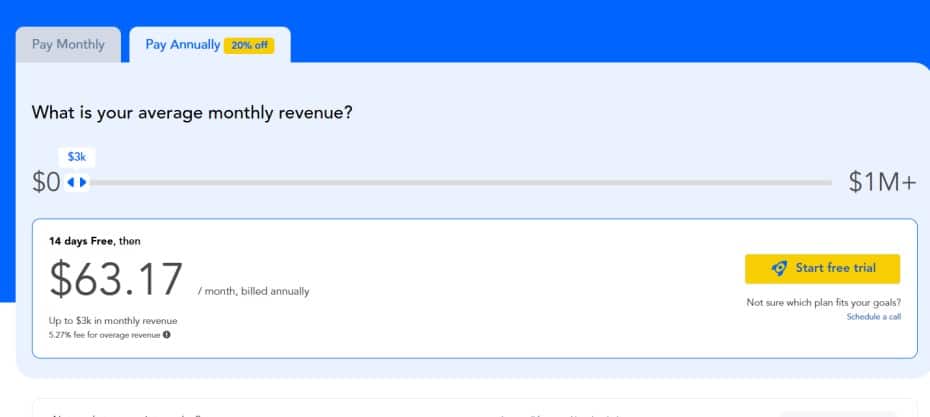
PayKickstart offers an annual billing with a 20% discount. This discount applies to every revenue tier, perfect for users who want to use the platform long‑term.
Below is a breakdown of how the Paykickstart annual pricing works for each revenue tier.
$0 – $3,000 Revenue: $63.17/month
Every tier receives the same 20% discount when billed annually. Here’s what the discounted pricing looks like:
| Revenue Tier | Monthly Price | Annual Price (20% Off) |
| $0 – $3k | $79 | $63.17/month |
| Up to $4k | $109 | $87.20/month |
| Up to $5k | $129 | $103.20/month |
| Up to $10k | $219 | $175.20/month |
| Up to $20k | $319 | $255.20/month |
Why Annual Billing Makes Sense For Your Business
- Lower long‑term cost
- Predictable budgeting
- Ideal for businesses with stable or growing revenue
- Reduces costs
- Perfect for businesses with consistent sales.
Check the Paykickstart price page for more details.
Paykickstart 1.0 vs Paykickstart 2.0: What’s new
The Paykickstart 1.0 has three pricing plans, and the starter costs $99 per month.It has features that help digital entrepreneurs sell more online.
But Paykickstart 2.0 offers more comprehensive tools for seamless workflow and helps businesses scale faster and increase their revenue.
Here is what’s new in Paykickstart 2.0.
What’s New In Paykickstart 2.0?
Compared to PayKickstart 1.0, here is what is new in PayKickstart 2.0 that makes it the best subscription billing platform.
The PayKickstart 2.0 was rebuilt to make the platform faster and more intuitive with the new revenue-boosting features:
Addition of more payment methods: PayKickstart 2.0 now offer more ways to pay with local methods, such as Buy Now Pay Later options like Affirm and Afterpay
Mobile-optimised checkouts like Shop Pay, Link, and FastLane.
Addition of New Billing Models: Now, the PayKickstart 2.0 supports flexible pricing strategies, plus advanced add-ons and credit management for usage-based billing.
Built-In Chargeback Protection: Prevent the chargeback with Get pre-dispute alerts so you can stop it before it ever hits your merchant accounts.
Affiliate Wallet: Automate faster payout to the affiliate and JV partner with a native wallet and Trust Score–based.
Marketplace Experience: A completely redesigned affiliate request UI to vendor profiles, product descriptions, and performance metrics that make it easy for affiliates to promote winning offers and scale their revenue faster.
Pros of PayKickstart’s Pricing Model
Affordable for Beginners
Because the price starts at $79/month for $0–$3k revenue, new businesses can access all premium features without the requirement to upgrade to a higher cost.
Pricing Scales with Your Business Revenue
You only pay more as your revenue increases, unlike other platforms, where you need to pay a high cost even with zero sales.
Cost Structure is easy to understand
Each revenue tier is clear, and users know when they’ll move to the next pricing level.
Access to All Features
Even the lowest tier includes essential tools like subscription billing, checkout pages, affiliate tool, revenue retention and dunning.
Annual Billing Offers a Discount
With 20% off, for an annual payment, users can reduce their monthly cost significantly.
Cons of PayKickstart’s Pricing Model
As the pricing model comes with some advantages, there are also a few drawbacks you need to know before taking action.
Costs Increase as Revenue Grows
While it benefits beginners, the model becomes more expensive for businesses earning over $100k per month.
It May Not Be Ideal for High‑Volume Sellers
Businesses with high monthly revenue may prefer flat‑rate platforms like ThriveCart to avoid escalating fees.
Who Should Use PayKickstart?
PayKickstart is fit for any type of business, especially those that rely on recurring revenue. While the platform offers powerful tools for accepting payment, managing subscriptions, affiliates, and checkout flows, it may not be ideal for everyone due to its revenue‑based pricing model.
So, let’s find out if PayKickstart aligns with your business needs and growth.
PayKickstart Is Best For
SaaS Software and Founders
PayKickstart is built with recurring billing in mind, perfect for SaaS companies that need subscription management, dunning, automated retention, and affiliate tools.
Course Creators
If you’re a digital creator who sells courses, coaching programs, or memberships, PayKickstart can help increase your conversions through checkout funnels, upsells, and affiliate tools and reduce churn.
Digital Product Sellers
Creators selling downloadable products such as e-books, templates, and software benefit from PayKickstart’s optimised checkout pages and built‑in affiliate tool.
Steadily Growing Businesses
Because Paykickstart pricing scales with revenue, businesses that are generating sales and growing can take advantage of the lower tiers.
PayKickstart is best for digital creators and SaaS founders who want a scalable billing platform with robust automation and affiliate tools.
PayKickstart Key Features
Now you know how much Paykickstart costs per month, find out all the features you will get for your business.
PayKickstart is a platform that handles payments, subscriptions, checkout, retention, affiliates, fraud protection, and reporting, so you don’t need to subscribe to multiple tools- just focus on growing your business online.
It is known as a complete revenue infrastructure built under one roof.
Accepting Payments
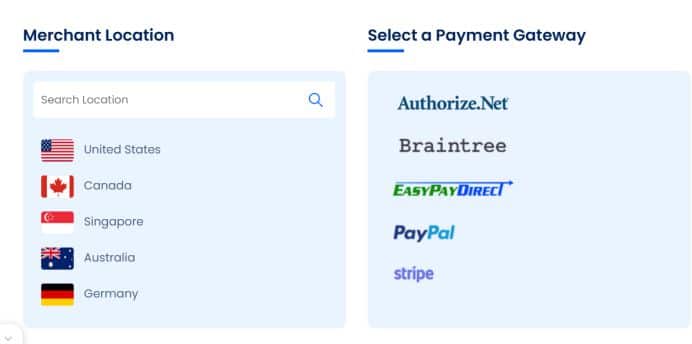
You can accept any type of payment, such as cards, wallets, PayPal, bank transfers, BNPL, crypto (Bitcoin, Ethereum), etc
Plus, over 135 local currencies, offering your customers an easy way to pay globally.
This is what makes Paykickstart stand out: customers can pay in their local currency.
Subscription Management
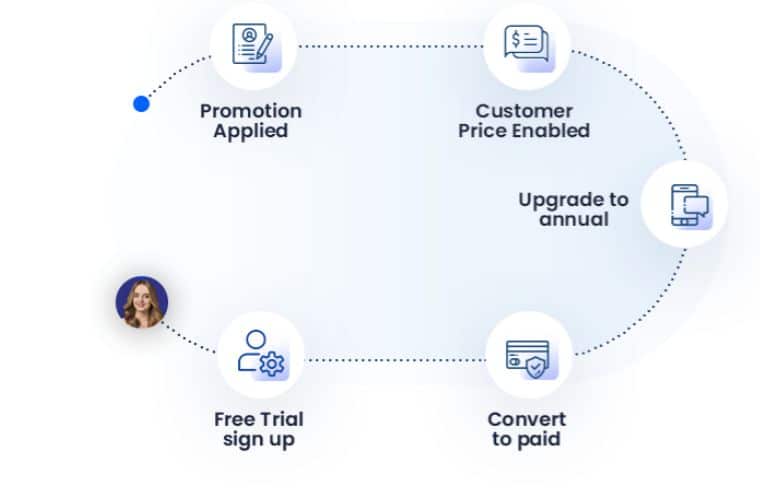
Are you a SaaS funder or running membership sites that require accepting subscription payments?
Paykickstart helps you run any billing model like usage-based, fixed, trials, add-ons or payment plans, and automate the subscription lifecycle.
Checkout Pages
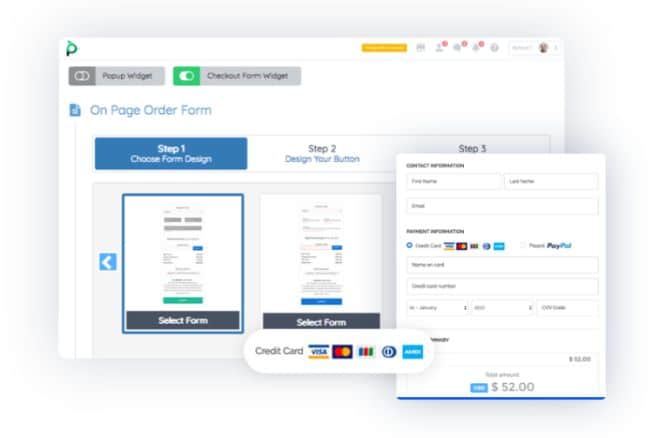
Want to increase conversions and sales of your business?
The platform offers high-converting checkouts with over 40 pre-designed templates, embeddable widgets, popups, or fully custom API builds.
Just choose from the checkout templates and customise it to your taste.
Conversion Boosters
Easily boost your conversions and increase AOV with one-click upsells, cart recovery, order bumps, exit-intent, and smart pixel tracking.
Revenue Retention

Paykickstart works seamlessly to increase revenue by recovering failed payments automatically using smart dunning, reminders, retry logic, and cancellation-save flows.
If your customers have issues it their payment, the system can remind them, retry the payment many times to ensure you’re not losing your revenue.
Improve Customer Experience
One way to grow your business faster is to satisfy your customers.
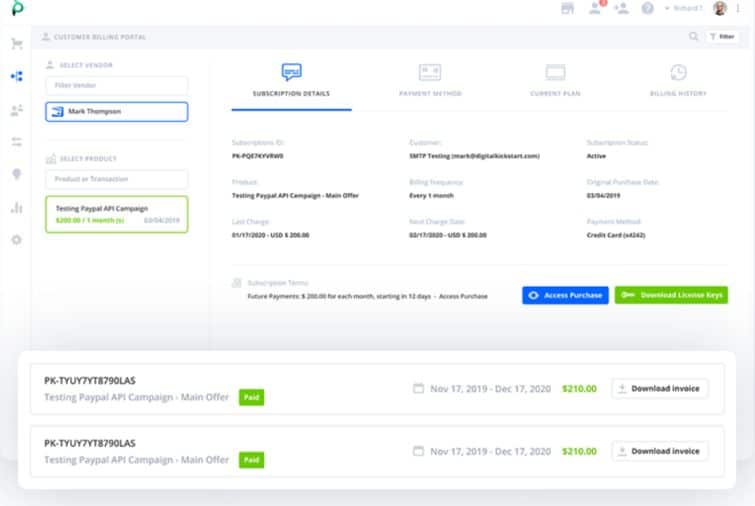
Paykickstart creates a good customer relationship by creating a seamless journey with branded automated emails. It also offers a self-serve billing portal for customers to update and upgrade without the need to contact support.
Affiliate Management

This is another core feature of Paykickstart.I have good experience as an affiliate to some vendors using Paykickstart for their billing system.
It is very easy to use with a simple user interface.
You can recruit, track, and empower affiliates and JV partners with tracking, promo tools, custom commissions, and display your products and services in the Marketplace.
Integrations
To boost and automate your workflow, you can connect over 60 native apps with point-and-click triggers.
Users can also expand their integration with Zapier or Integrately without any stress.
Work with some major marketing apps and platforms.
Reporting & Analytics
Offer robust analytics and reporting to track sales, MRR/ARR, churn, affiliates, and customer behaviour, all in real time, with no guesswork.
Access all data on clicks, conversions, and sales to help you improve your marketing and run retargeting if you’re advertising on Facebook or Google.
Mobile App
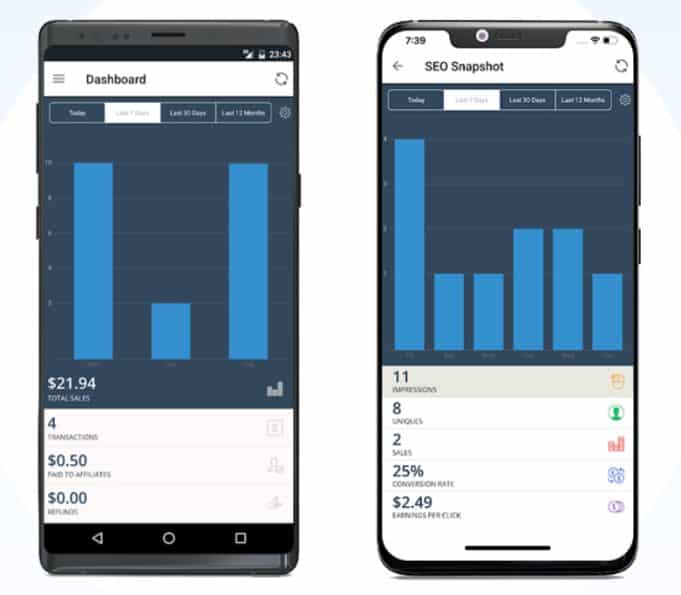
The Paykickstart mobile app helps you run your business on the go. With the app, you can log in to your dashboard, track sales, manage subscriptions, approve affiliates, and even take payments.
You can download the app for IOS and Android on Google Play.
How to get started with PayKickstart
Now that you know the PayKickstart pricing tiers, let’s go through the steps to sign up account.
You can take advantage of the relaunch and save up to 69% today, pr start 14 14-day free trial.
You can take advantage of the PayKickstart 2.0 launch and save up to
Sign up for PayKickstart 2.0 launch.
PayKickstart’s Relaunch offer a discount of up to 69%.
You can lock in up to 69% off for up to 3 years with zero transaction fees if you join Paykickstart 2.0 today.
Here is how to lock 69% off
Choose an annual revenue tier
Select how long they want to lock in their discounted rate.
The system will instantly secure the lowest pricing for you.
All packages come with access to the full power of PayKickstart.
Join Paykickstart 2.0 Prelaunch now
Paykickstart 2.0 Pricing 2026: Conclusion
PayKickstart’s revenue‑based pricing model offers a flexible and scalable system that aligns your business revenue with your subscription cost.
The starting cost is $79/month for $0–$3k in revenue, making it easy to access all its features like checkout, subscription, and affiliate tools without overpaying.
As your revenue increases, the price also increases to ensure you only pay more when your business is generating more revenue.
The annual payment saves you up to 20% per month, suitable for businesses with stable monthly revenue.
While it may become more expensive for high‑volume sellers, PayKickstart remains a better choice for digital entrepreneurs, creators, SaaS businesses, and anyone who prefers a robust conversion‑focused billing solution that grows with them.
PayKickstart best fits businesses that value flexibility, automation, and scalability.
And if you’re looking for a platform to streamline your billing, boost conversions, and manage affiliates under one platform, PayKickstart makes it easy to start small and scale your business.
PayKickstart Pricing vs Competitors
Let’s compare the Paykickstart pricing model with its competitors to find out the winner.
PayKickstart’s revenue‑based pricing model sets it apart from other billing and subscription platforms.
While other platforms use flat‑rate pricing, PayKickstart charges based on your monthly revenue.
This difference can make PayKickstart more affordable for beginners and more expensive for high‑volume sellers.
Here is the breakdown of how it compares to the popular alternatives.
PayKickstart vs SamCart
SamCart has also updated its pricing to monthly revenue-based fees like Paykickstart.
SamCart offers strong checkout templates, while PayKickstart is a more robust billing system and affiliate management.
SamCart is better for selling digital products, while PayKickstart is perfect for recurring revenue businesses.
PayKickstart vs Paddle
Paddle is another billing platform that uses a revenue‑share model instead of fixed pricing.
Paddle handles taxes, compliance, and global payments, but PayKickstart offers more control over checkout design, revenue retention, and affiliate tools.
Paddle is ideal for SaaS businesses, while PayKickstart is better for businesses that require total control.
PayKickstart vs Chargebee
Chargebee is an alternative, and it offers flat‑rate and usage‑based pricing.
PayKickstart is affordable for small to mid‑sized businesses.
Chargebee is better for large SaaS companies, while PayKickstart caters to both growing digital businesses and large SaaS companies.
Which Platform Offers the Best Value?
For startups and small businesses, PayKickstart is often more affordable due to its low entry tier.
For growing businesses, PayKickstart may be the better option, but as revenue is getting higher, the cost goes along with it.
High‑volume businesses: Flat‑rate platforms may be cost‑effective, but it may also depend on the features they offer.
PayKickstart stands out for its powerful billing, subscription tools, and affiliate management.
I recommend starting with Paykickstart to get access to more advanced features and create a seamless workflow for your business.
FAQ About PayKickstart Pricing
How does PayKickstart pricing work?
PayKickstart uses a revenue‑based pricing model. Your monthly fee depends on how much revenue you generate from your business. The more you earn, the higher the price per month.
What is the Paykickstart starting price?
The entry‑level cost is $79/month for businesses earning between $0 and $3,000 monthly revenue, while it costs $63.17 per month for an annual payment.
Does PayKickstart offer annual Pricing?
Yes. Users who choose annual payment save 20%, reducing the price to $63.17per per month for the $0–$3k revenue.
What happens if my revenue increases?
PayKickstart will automatically adjust your plan to the next tier
You only pay more when your business earns more. For example, if your revenue increases from $3k to $4k per month, the cost will increase from $79 to $109.
Is PayKickstart good for beginners?
Yes. The low pricing model and comprehensive features make it ideal for SaaS startups and digital entrepreneurs.
What features are included in all pricing tiers?
All tiers have the same features, which include checkout pages, subscription billing, revenue retention, affiliate management, dunning & churn, analytics, and integrations.
Does PayKickstart charge transaction fees?
No, PayKickstart doesn’t charge transaction fees, but its integrated payment processors, like Stripe, PayPal, may charge processing fees.
You can read my complete Paykickstart review to learn more about the details and how it can help your business.
Related Posts
