
Welcome to the Paykickstart 2.0 review, the latest version of Paykickstart that offers more robust features for seamless revenue growth.
The Paykickstart 2.0 is rebuilt from the ground up with billing flexibility, new payout option and marketplace.
Paykickstart is designed to help users accept payment, manage subscriptions, checkout and robust affiliate management
Paykickstart 2.0 New Launch Offer 2026
The Paykickstart 2.0 offers new users 65% off and 0% platform charges.
Get up to 65% off Paykickstart 2.0 now.
The launch starts on January 12, so make sure to take advantage of the PayKickstart incoming launch.
So, is Paykickstart 2.0 worth the money?
The answer is Yes, but not for everyone.
In this In-depth Paykickstart 2.0 review, you’ll learn:
The pros and cons: I’ll show you the advantages and drawbacks of Paykickstart 2.0 that set it apart.
How the Core features work: Understand all the core features and see if they meet your business needs.
Who should use Paykickstart? Based on real experience, I’ll reveal who can succeed with Paykickstart, so you won’t waste your time.
My goal is to give you honest information based on my experience, helping you decide for your business needs.
What Is PayKickstart 2.0?
PayKickstart 2.0 is an all-in-one revenue growth engine that handles billing, subscriptions, checkout, affiliate program, retention, fraud protection and reporting, all in one platform, so you can focus on your business without duct-taping tools together.
It is a complete revenue infrastructure all in one place.
Try Paykickstart and save 65% today
Key PayKickstart Features
Here is a summary of the PayKickstart 2.0 features.
Accepting Payments: Accepting different payment methods such as PayPal, bank transfers, cards, wallets, crypto, and 130+ currencies, offers customers a simple way to pay globally.
Subscription Management: Making it easy to run billing models like trials, payment plans, etc and automate the entire subscription lifecycle.
Checkout: Launch checkouts in minutes with over 40 pre-designed templates, pop-ups, or fully custom API builds.
Boosting Conversion: Increase conversions with order bumps, one-click upsells, exit-intent, and smart pixel tracking.
Revenue Retention: Automatically recover failed payments with smart dunning, reminders, etc
Seamless Customer Experience: Provide customers with a seamless journey with branded automated emails, a billing portal for easy updates and upgrades.
Affiliate Management: A Powerful affiliate tool to recruit affiliates with tracking, promo tools, commissions, and Marketplace discovery.
Integrations: Connect to more than 60 apps to automate your workflows.
Analytics & Reporting: Track everything, such as sales, churn, funnels, MRR, and affiliates, all in real time with one dashboard.
Mobile App: You can now run your business anywhere. With the Paykickstart mobile app, you can track sales, manage subscriptions, approve affiliates, take live payments, etc.
What Are The Pros and Cons of PayKickstart 2.0?
The PayKickstart 2.0 excels in many ways, but still has a few drawbacks. Below are the summaries of its advantages and disadvantages
Pros
All-in-one solution: Combine recurring billing, checkout, affiliate management, and retention solution with a global capability.
Powerful Integrations: Integrate with over 70 marketing apps for seamless workflow and automation.
Security and Compliance: Easily protect your customers and their data with grade security and compliance standards.
Strong Support: Get 24/7 support when you need help, and a very fast response
Flexible Pricing Model: The PayKickstart pricing is flexible, and it is based on the monthly revenue of the users, not on features.
Cons
Require a learning curve: As a beginner, you need to take time to study how it works. Although there are many tutorials and guides to guide you.
High cost: The initial price starts at $79 per month, and it may be expensive if you’re a beginner and not making money yet.
Who Is PayKickstart 2.0 Best For?
While PayKickstart may not be ideal for everyone, it is perfect for the following people:
Software and SaaS business: PayKickstart is designed to meet the software and SaaS business. Making it easy to automate recurring billing, upgrade/downgrade plans, with a robust and flexible API
Course Creators: Accepting payment and selling membership courses, and increasing recurring revenue.
Agencies: Launch your agency’s business and convert for clients with a built-in conversion booster.
Coaches With Payclickstart clients’ billing portal, you can automate invoicing for easy payment.
E-commerce Seller; For easy tracking of orders and managing fulfilment of your physical products.
Digital Product Creators: Host, secure and sell any type of digital content to your audience.
PayKickstart 2.0 is designed to help anyone running their business by accepting payment and billing subscription for SaaS and software businesses, digital creators, consultants, etc
Let’s take a closer look at the platform features, starting with its ability to accept payment.
PayKickstart 2.0 Review: Feature Breakdown
Accepting Payment
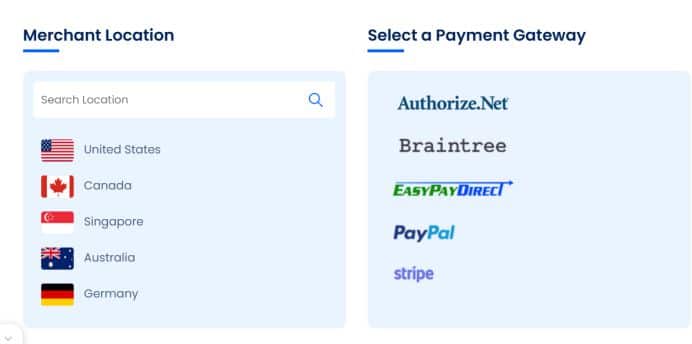
PayKickstart 2.0 allows you to accept payment, and integrate with major payment processors such as PayPal, Stripe, Bank transfer, digital wallet, card and more.
Online Card Payment: Payment through cards is are easy way to grow your customer base. You can accept credit cards, debit cards and also prepaid cards.
Digital Wallet: Simplify payment with digital wallet checkout by adding one-touch purchase using Apple Pay and Google Pay.
Bank Transfer: With bank transfer, you can lower processing fees, start accepting bank transfers from your customers.
PayPal: It makes it easy to accept payment from over 203 countries.
Connect by Paykickstart: Reduce processing fees by 300%. Fees are as low as 2.5% +$0.25 per transaction.
Subscription Management
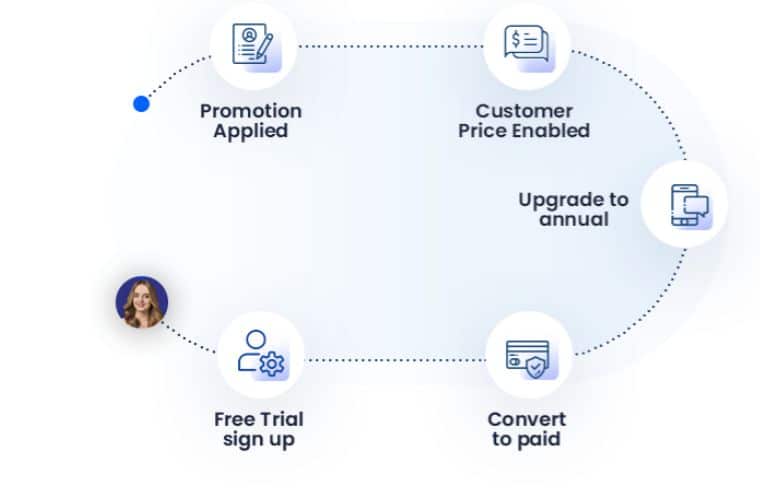
It is one of the core PayKickstart features. Track and manage all your subscriptions through the customer lifecycle without problems.
Fixed Price Subscription: Charge customers a fixed amount regularly
Freemium: Allow customers to access your products for free, and then encourage them to upgrade to a paid plan.
One-Time Charges: Charge a one-time price for your products or services.
Set Up Payment Plans: Customer can decide to pay in full once or choose from 3 payment plans.
Trial Management: Simply offer a free or paid trial. It may be based on a certain period of days or months.
Custom Pricing: Setting up different pricing permutations using the PayKickstart 2.0 API.
Checkout Experience
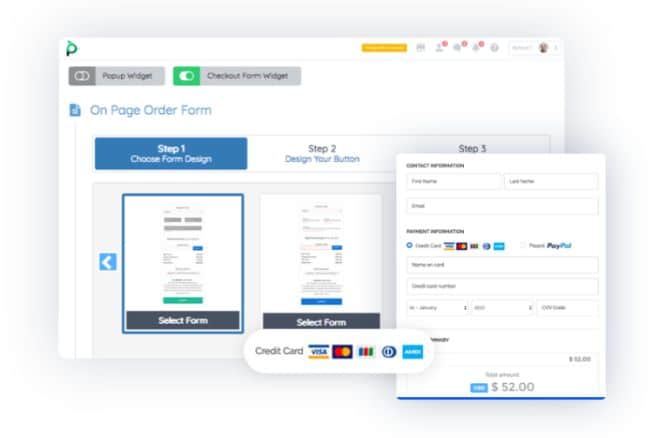
Access to different hosted and self-hosting checkout options to prevent losing customers at checkout.
Template Library: The checkout comes with over 50 high-converting pre-design templates. Easy to customise with no tech headache.
Form Embed: Add an ended checkout form to any page. It is simple, just design your checkout, copy the code and add it to your page.
Pop Up Modal: Display a pop-up at the checkout when the customer clicks the buy button.
Order Bumps: Help to double your average order value when you allow customers to add complementary products or services to the initial order.
One-Click Upsell: Allow customers to purchase more products with just one click for both PayPal and credit card payments.
Pixel Tracking: Tracking everything, visitors’ actions and customer actions to measure conversions and launch retargeting ads for platforms like Google and Facebook.
Others are cart recovery, exit intent, mobile optimisation, coupon codes and more.
Affiliate Management

Manage all your affiliates and partner with JV in one dashboard.
Affiliate Request: Approve or deny affiliates inside your account. Set the affiliate into delayed or instant payment.
Advanced Tracking: Accurate and link tracking to ensure all affiliates are credited for their referral.
Automated Payout: Automate payment for all affiliates with an instant payout wizard.
Promotional Tools: Help your affiliate get more commission with marketing material and tools to fast-track their success.
Reporting: It gives affiliates a clear understanding of their promotional performance. Monitor key metrics such as clicks, conversion rate, etc. You can also track 2nd-tier referrals and commissions.
Accounting And Tax:
Create an invoice and send a transactional email notification for accounting and to communicate with customers.
You can easily deal with sales tax, taxamo integration and more.
Analytic and Reporting
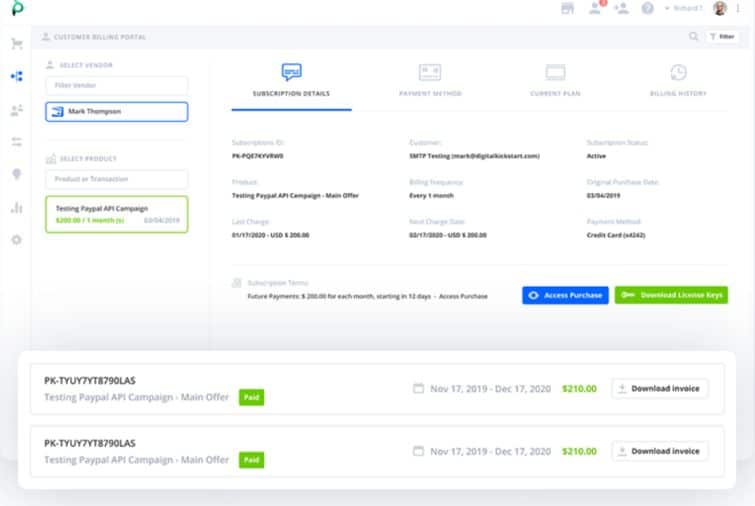
Data is everything when it comes to marketing.
Get accurate business metrics and insight to help you know what is working and giving you results.
Below are what you can track:
- Recurring revenue reports
- Chun and recovered revenue reports
- Trial performance
- Funnel reports
- Commission reports
- Traffic reports
With these data and insight, you can improve your marketing strategies ad drive more sales.
Revenue Retention

Reduce churn caused by failed payments with automated recovery features to collect payment to 3x revenue.
Easily identify the reason for churn and take advantage of the recovery of failed payments.
PayKickstart 2.0 Review: Integration
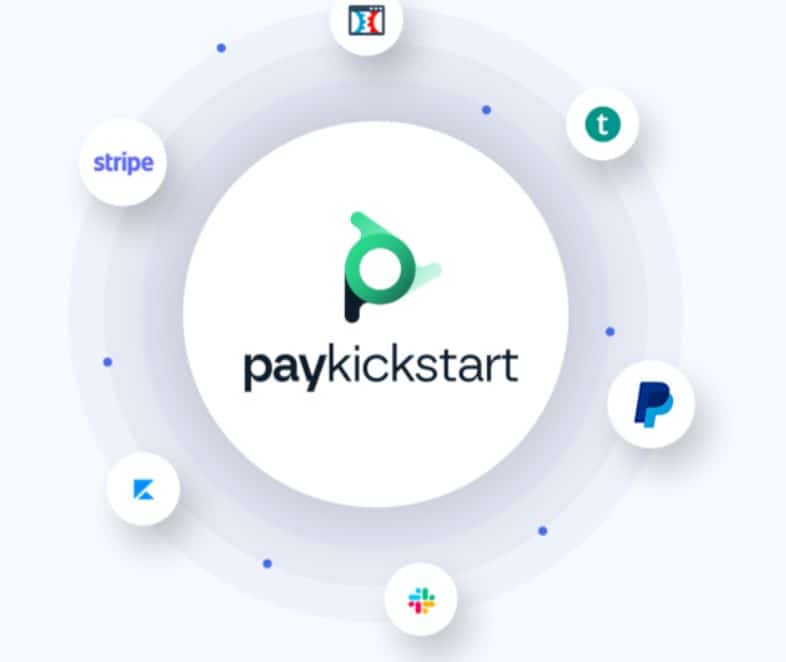
You can integrate PayKickstart 2.0 with many third-party apps, including Clickfunnels, Teachable, Stripe, PayPal, Hubspot, etc, to expand its capabilities.
You can also integrate with API or webhooks for tools with no one-click connections.
Services like Zapier also make it easy to connect PayKickstart to hundreds of other marketing apps without coding skills.
Here are the key third-party integrations you can connect with PayKickstart.
Analytics: You can connect with Google Analytics, ProfitWell and ChartMogul.
CRM Tools: PayKickstart integrate with popular CRM software such as Pipedrive, HubSpot, FreshWorks and Salesforce
Email Automation: PayKickstart integrates with the following email automation tools: Kit, AWeber, Active Campaign, Constant Contact, Keap, etc
Fulfilment Apps: The platform connects with Shopify, Shipstation and Shipoffers to help eCommerce sellers automate their business.
Membership Services: For creators, the platform connects with the most popular membership platforms such as: FreshMember, Kajabi, MemberMouse, Productdyno etc
Webinar Services: It also integrates with webinar tools such as Demio, Everwebinar, GoToWebinar and much more.
Now, you know what PayKickstart 2.0 can do for your business.
So, let’s find out about the PayKickstart 2.0 price.
PayKickstart 2.0 Pricing
The PayKickstart 2.0 new price is based on the monthly revenue of the users.
The price starts at $79 per month, with no hidden fees, and access to all features.
If you just sign up with PayKickstart 2.0, you will need to pay $79, and as your monthly revenue grows, your monthly fees grow.
It comes with a 14-day free trial; cancel at any time.
Below is the breakdown of the PayKickstart 2.0 pricing.
PayKickstart 2.0 pricing Per Month
Up to 3k Monthly Revenue
If your average monthly revenue is from $0 to $3k, your cost is $79 per month.
You get access to all the features, plus a 14-day free trial.
For Up to $4k Monthly Revenue
If your revenue is up to $4k per month, you pay $109 per month.
For $5k Monthly Revenue
For $5k per month revenue, the costs are $129, including all the features and integrations.
$10k Monthly Revenue
The PayKickstart 2.0 pricing for up to $10k per month revenue is $219.
$20k Monthly Revenue
Up to $20k monthly revenue will cost $319 per month.
$30k Monthly Revenue
It costs $449 per month if your monthly revenue is up to $30k per month.
$40k Monthly Revenue
It costs $499 per month for up to $40k monthly revenue.
$50k Monthly Revenue
For up to $50k revenue per month, you pay $579 per month.
The PayKickstart 2.0 pricing per month is directly proportional to your monthly revenue.
You can check the PayKickstart pricing page to learn more.
PayKickstart 2.0 pricing for Annual Payment
For an annual payment, you save up to 20%.
The cost per month with an annual payment starts at $63.17 per month.
Up to $3k per month
It costs $63.17 per month if your monthly revenue is from $0 to $3k.
For Up to $4k Monthly Revenue
It will cost $87.17 per month
Up to $5k
For $5k monthly revenue, it will cost $103.17 per month.
For $10k per month
If your monthly revenue is up to $10k per month, it will cost $176.17 per month.
And the list goes on. You can check the PayKickstart 2.0 official pricing page for more.
Is PayKickstart Worth The Price?
Yes, PayKickstart 2.0 has a fair price, but to be honest, it’s not cheap if your revenue is not up to $3k and more per month.
You can find many cheaper alternatives; some offer basic features for a lower cost.
Here’s why it’s still worth it
PayKickstart 2.0 is designed to help you grow your revenue by offering you the most robust tools to accept payment for your products or services.
You’re not only paying to accept payment, but you’re saving time and money.
PayKickstart gives you everything for just $79.
Accepting payment, billing system course hosting, hosting digital products, etc.
When it comes to selling online, PayKickstart 2.0 provide all the tools you need in one platform.
You can start your journey with PayKickstart with a 14-day free trial to test its features.
Although there are thousands of people who are using the platform for their business, there are a few people who complain about it.
What Are PayKickstart Complaints?
Based on my research about PayKickstart, there are a few complaints from the users.
And I believe all these issues might have been fixed in PayKickstart 2.0.
High Cost: The PayKickstart starting post was $99 per month, and not everyone can afford it, especially beginners.
But the latest upgrade, which is PayKickstart 2.0, has cut down the price to $79 per month with access to all features.
Slow customer support; Many users complain about the slow response from their customer support.
What Are The Best PayKickstart Alternatives?
If you’re looking for an alternative because of a few challenges from PayKickstart, here are the best to check.
SamCart: It is another shopping cart designed for small businesses to accept payment and sell products and services.
In terms of price, Samcart has monthly plans based on features and integrations.
Recurly: This is a subscription and recurring billing platform competing with PayKickstart.It offers pay-as-you-go and requires to request for the pricing plans to get started.
ChargeBee: Another alternative to Paykickstart and a recurring billing system. You can automate billing, reduce churn and scale your revenue.
The downside is that it is very costly. Start at $7,188 per year.
Final Verdict: PayKickstart 2.0 Review
So,, what’s the bottom line? Is PayKickstart 2.0 the right choice for you?
PayKickstart 2.0 is a complete billing system that puts your payment, subscription, checkout, and marketing tools all in one place.
It saves you time to sign up for more than 10 different software to grow your business.
PayKickstart is a complete platform designed to help businesses streamline their sales and payment systems. It offers features such as a billing system, affiliate management, checkout and marketing tools to automate the billing and subscription process.
It is perfect for small businesses looking to manage subscriptions and digital payments effectively.
Additionally, it simplifies the complexities of tracking and managing affiliate sales, making it a great choice for creators looking a comprehensive sales and affiliate platform.
PayKickStart FAQs
Is PayKickStart good for beginners?
PayKickStart is a robust tool for anyone to grow their revenue business, but it has an easy-to-use and user-friendly interface.
It advanced features like affiliate management, conversion optimisation and subscription billing are designed to grow SaaS businesses and creators.
It works perfectly for beginners, but requires a learning curve compared to simple checkout software.
Does PayKickstart offer a free trial?
Yes. PayKickstart offers a 14-day free trial, with access to all its advanced features. It allows new users to test its features, such as checkout, subscription management, and affiliate tracking, before committing to the paid plan.
What is PayKickstart used for?
PayKickstart is the most robust recurring billing, checkout, affiliate management and retention solution in the market with global capabilities.
You can use it to accept payment globally, subscription services for SaaS companies, and to help you increase the revenue of your business through a retention solution.
What types of businesses use PayKickstart?
PayKickstart is designed for SaaS companies, digital marketers, and subscription-based businesses that need a billing system, affiliate management and revenue retention to grow and scale their business.
If you’re using Paykickstart to sell online courses or digital products, you can check the Jeff Walker launch training.
You can also check the Product Launch Formula cost if you want to join the course to guide you to launch your next products or services.
